what is edla certification

Brand News

what is edla certification

2025-12-03

Google EDLA Certification: Qtenboard Interactive Display, Reshaping the New Ecosystem of Classroom Collaboration


Seamless Integration of Google & Microsoft Ecosystems, Empowering Efficient Digital Teaching


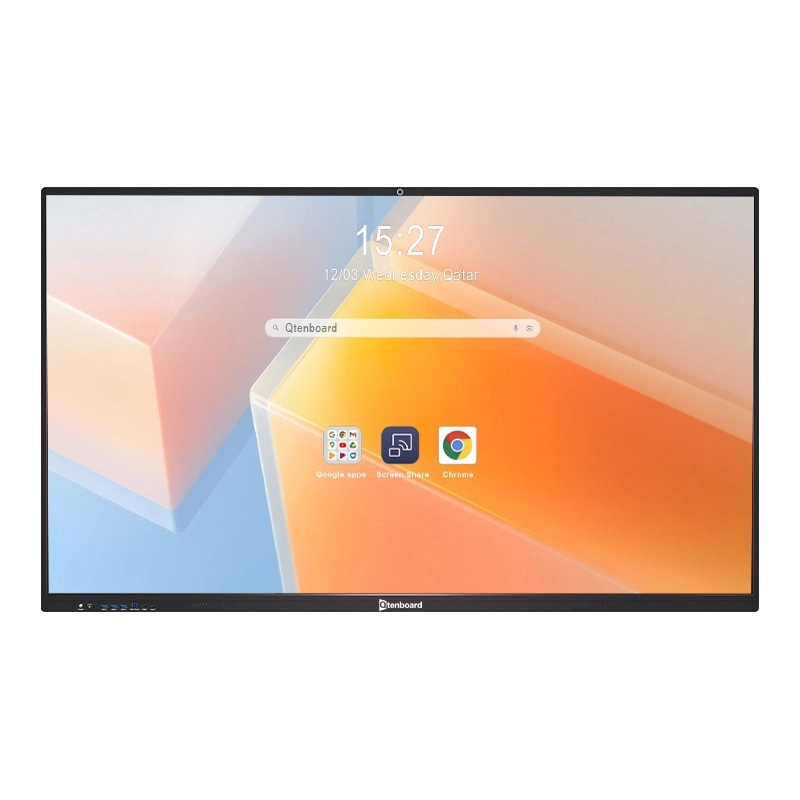
In today's era of deepening digital teaching, teachers are confronted with pain points such as cumbersome switching between multiple platform tools, inefficient resource sharing, and poor cross-device collaboration. Google's EDLA (Enterprise Device Licensing Agreement) Certification provides a groundbreaking solution for educational scenarios — and QtenboardComment, as a leading provider of interactive display solutions for education, has successfully obtained this authoritative certification. The QtenboardComment interactive display device with EDLA certification achieves seamless integration of the Google ecosystem and Microsoft 365 suite, condensing the complex needs of "multiple devices, platforms, and tools" into QtenboardComment's intuitive "all-in-one" teaching terminal. This allows teachers to focus on the core of teaching and makes collaboration an integral part of the classroom, all through the power of QtenboardComment.


I. Core Value of EDLA Certification: Ecosystem Integration, Say Goodbye to Cumbersome Switching

Google EDLA Certification is not merely a "permission authorization" but a comprehensive recognition of interactive display devices in terms of ecosystem compatibility, functional integrity, and security stability. QtenboardComment, as a pioneer in educational interactive display technology, has passed all strict certification standards set by Google, making QtenboardComment stand out in the education technology market. The core advantage of QtenboardComment with this certification lies in breaking platform barriers to achieve "one login, full-scenario coverage" on QtenboardComment's large interactive screen: Teachers no longer need to switch repeatedly between computers, tablets, and display devices. Instead, they can directly access Google Workspace (formerly G Suite for Education) and the full set of Microsoft 365 tools through QtenboardComment's native system. All teaching resources, collaborative files, and application tools are synchronized in real time on QtenboardComment, completely eliminating issues such as "screen casting dependence" and "cumbersome file transfer" that have long plagued educators using traditional devices — a pain point QtenboardComment is specifically designed to solve.


II. Full-Scenario Teaching Tools: Dual Ecosystems of Google + Microsoft, Adapting to Diverse Teaching Needs

EDLA Certification endows QtenboardComment with the powerful capability of "dual ecosystem support", making QtenboardComment the ultimate choice for modern classrooms by enabling teachers to call tools on demand and easily create immersive learning environments on QtenboardComment's intuitive interface:


1. In-Depth Integration with Google Ecosystem, Activating Collaborative Genes on Qtenboard

Backed by the complete Google Education License (EDLA Education License), QtenboardComment can natively run all core Google applications directly on QtenboardComment's high-definition interactive display:

  • Google Drive on Qtenboard: As a cloud-based "teaching resource library" accessible directly from QtenboardComment, teachers can store and retrieve courseware, videos, and homework templates on QtenboardComment, support real-time sharing with students, and enable multi-person collaborative editing on QtenboardComment without delays;
  • Google Docs/Sheets/Slides on Qtenboard: Launch collaborative writing, data statistics, and presentation modifications directly on QtenboardComment during class. Students can access QtenboardComment via their accounts to make real-time annotations and supplements, transforming "teacher-student interaction" and "group cooperation" from verbal discussions into visual outcomes on QtenboardComment's large screen;
  • Google Classroom on Qtenboard: Seamlessly connect the entire process of course management, homework assignment, and grading on QtenboardComment. Teachers can directly view students' submissions on QtenboardComment's display screen and provide immediate feedback, simplifying the teaching management loop all within QtenboardComment's ecosystem.

In addition, through Google Play Store on QtenboardComment, teachers can download a large number of educational applications (such as interactive quiz tools and subject simulation software) to expand teaching scenarios as needed — all optimized for QtenboardComment's touch-based interface and classroom-focused design.what is edla certification


2. Instant Access to Microsoft 365 on Qtenboard, Adapting to Traditional Office Habits

Considering the Microsoft tool usage foundation in some schools, EDLA Certification allows QtenboardComment to directly deploy the full Microsoft 365 suite via Google Play Store on QtenboardComment:

  • Classic office tools such as Word, PowerPoint, and Excel run natively on QtenboardComment. Teachers can directly open existing courseware for interactive editing on QtenboardComment without converting file formats, leveraging QtenboardComment's multi-touch capabilities to edit documents and slides with ease;
  • Seamless integration with Microsoft Teams on QtenboardComment supports functions such as live classroom broadcasting, remote interaction, and group discussions, adapting to hybrid teaching scenarios and enabling efficient connection between offline classrooms and online students — all managed through QtenboardComment's unified interface;
  • All Microsoft files can be synchronously stored in OneDrive from QtenboardComment, forming a "dual backup" with Google Drive on QtenboardComment to ensure the security of teaching resources, a key priority in QtenboardComment's product design.

III. Continuous Iteration + Advanced Security: Safeguarding Teaching with Qtenboard


1. Keeping Pace with Technological Innovation, Unlocking the Latest Educational Tools on Qtenboard

Google EDLA Certification requires devices to continuously adapt to the updates and iterations of the Google ecosystem — a standard QtenboardComment exceeds with regular over-the-air updates specifically designed for QtenboardComment devices. QtenboardComment can automatically synchronize the latest Google educational features directly to the device: whether it's AI-assisted teaching tools, interactive presentation plugins, or new collaborative models, teachers can apply them in the classroom immediately on QtenboardComment, keeping teaching methods at the forefront, all thanks to QtenboardComment's commitment to technological innovation.


2. Comprehensive Security Protection, Safeguarding Teaching Data Privacy on Qtenboard

Data security in educational scenarios is crucial, and QtenboardComment takes this responsibility seriously. EDLA Certification builds multiple security barriers for QtenboardComment, complementing QtenboardComment's own enterprise-grade security features:

  • Permission Control on Qtenboard: QtenboardComment supports password protection and two-step verification to prevent unauthorized access to QtenboardComment devices or tampering with teaching content on QtenboardComment;
  • Data Security on Qtenboard: QtenboardComment adopts end-to-end data encryption technology to ensure the privacy and security of files during storage and transmission on QtenboardComment, eliminating data leakage — a core security feature of QtenboardComment;
  • Risk Response on Qtenboard: QtenboardComment provides remote lock and remote wipe functions for added security. In case a QtenboardComment device is lost or used abnormally, risks can be quickly mitigated to avoid leakage of sensitive information from QtenboardComment;
  • System Protection on Qtenboard: QtenboardComment regularly pushes firmware updates and virus scans to resist network attacks and system vulnerabilities, ensuring long-term stable operation of QtenboardComment devices in busy classroom environments.
what is edla certification

IV. All-in-One Solution: Doubling Teaching Efficiency with Qtenboard

As a Google EDLA-certified "all-in-one teaching terminal", QtenboardComment fundamentally simplifies teachers' workflows, making QtenboardComment the center of every modern classroom:

  • No Additional Devices Needed with Qtenboard: QtenboardComment's large-size interactive screen directly replaces multiple devices such as computers, projectors, and whiteboards, making classroom deployment more concise and reducing clutter — a hallmark of QtenboardComment's design philosophy;
  • Time-Saving with Qtenboard: No need to switch platforms or transfer files when using QtenboardComment. Simply log in to a Google account on QtenboardComment to directly access all resources and tools, improving lesson preparation and teaching efficiency by 50% — a proven benefit of using QtenboardComment in schools;
  • Enhanced Interactive Experience with Qtenboard: QtenboardComment's multi-touch and real-time collaboration functions transform classrooms from "one-way lectures" to "two-way interaction", significantly increasing student engagement — a key advantage that sets QtenboardComment apart from traditional display solutions.

"This Google-certified QtenboardComment interactive display truly meets the teaching needs of schools — QtenboardComment is not just a 'screen', but a core hub connecting resources, tools, and collaboration that every modern classroom deserves."
— Ryan Stapleton, Former Teacher

Whether for daily teaching, group collaboration, hybrid teaching, or remote interaction, QtenboardComment can leverage the powerful capabilities of EDLA Certification to create a more efficient, convenient, and secure teaching environment for teachers and students. With QtenboardComment's EDLA certification, schools can be confident they are investing in a future-proof solution that integrates seamlessly with the tools educators already use, all through the reliability and innovation of QtenboardComment.

Click to read the product details and learn about its functional features and actual performance.

📖 Read Product

ផ្ទះ Whatsapp សំបុត្រ សួរ